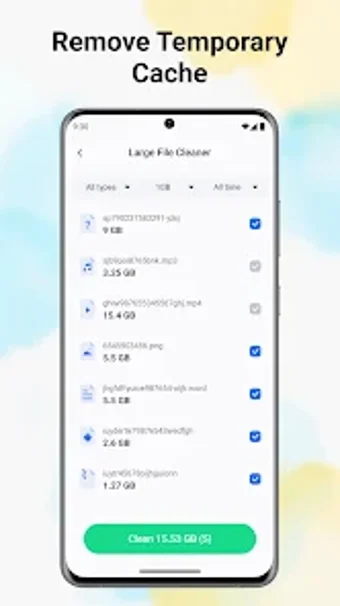
CacheHarbor: Quick Cleaner for focused Android storage cleanup
Experience a compact utility that simplifies reclaiming space on Android devices. CacheHarbor: Quick Cleaner from jiudingmingxiang addresses storage clutter by scanning internal storage to identify redundant and temporary files. The app performs targeted junk identification, storage task management, and quick removal actions while keeping its installation size small. It suits Android users who prefer straightforward maintenance tools that make common cleanup steps easy to recognize and act on without extra configuration.
What does CacheHarbor do?
CacheHarbor is a storage-focused utility that scans Android devices to surface files that can be removed. In addition, it specifically identifies temporary cache and other redundant data, and it groups tasks for simpler execution. The scanner reports removable items so users decide which entries to clear. This description reflects the app's stated purpose of making common storage management tasks straightforward to execute.
Does it affect system performance during a scan?
The app has a compact installation footprint, with an APK of approximately 24.7 MB, and the developer positions it for minimal impact on device resources. Moreover, scans are described as efficient, aimed at quickly locating redundant files without prolonged background activity. For users concerned about resource usage, the small APK and task-focused scans indicate reduced storage and runtime overhead compared with larger maintenance suites.
Is CacheHarbor safe to run on personal devices?
The app carries a content rating of 'Everyone' and supplies privacy and security information on its store listing, which the developer makes available to users. In addition, the cleaner concentrates on temporary and redundant cache files rather than deep system changes, reducing the risk of accidental modifications. Users who prefer cautious operation can review permissions before running a scan because the listing outlines required access.
Do I need technical knowledge to use CacheHarbor?
No advanced expertise is necessary; the design aims to make common cleanup steps easy to recognize and execute for typical Android users. Moreover, the developer releases updates actively, with a recent mid-2026 version noted, which indicates ongoing maintenance rather than an abandoned project. Nevertheless, users seeking granular control over deep system modules may find the app's focused feature set limiting compared with fuller maintenance suites.
Practical for routine upkeep, limited for advanced maintenance
CacheHarbor is a pragmatic choice for Android users who want straightforward device upkeep with minimal fuss. The main caveat is the limited depth of advanced options, which constrains power users seeking granular system control. For routine housekeeping and keeping storage tidy on everyday devices, the app serves a clear, focused purpose and suits people who prioritize simple, low-effort maintenance over detailed configuration.